Tap-to-explain
One tap on any word gives you a meaning, a translation and an example sentence — written on your phone, in seconds, using the sentence around it as context.
 ClickBook

ClickBook is an offline EPUB and readable-PDF reader with on-device AI. Tap a word you don't know and get an instant meaning, translation and example sentence in your mother tongue — no account, no cloud AI, no ads.

Available now on Android, iPhone and iPad.
Features
Everything you need to read in a second language, without leaving the page or handing your library to anyone.
One tap on any word gives you a meaning, a translation and an example sentence — written on your phone, in seconds, using the sentence around it as context.
Once the model is in place, reading and lookups need no connection. Network use is limited to purchases, restores, entitlement checks and optional backups. Of the reading features, only the optional ChatGPT button (Pro) goes online, and only when you tap it.
Serif typography, justified text, sepia and dark page colours, adjustable size and line height, and paged or scrolling modes. Built for long sessions.
Pick the language you actually think in. Explanations and translations come back in that language every time, whatever the book is written in.
Import EPUB files and readable PDFs from your device. ClickBook keeps your position, settings and saved words in a local library you control.
No sign-up, no advertising SDKs, no third-party analytics. The words you look up are nobody's business but yours.
In the app
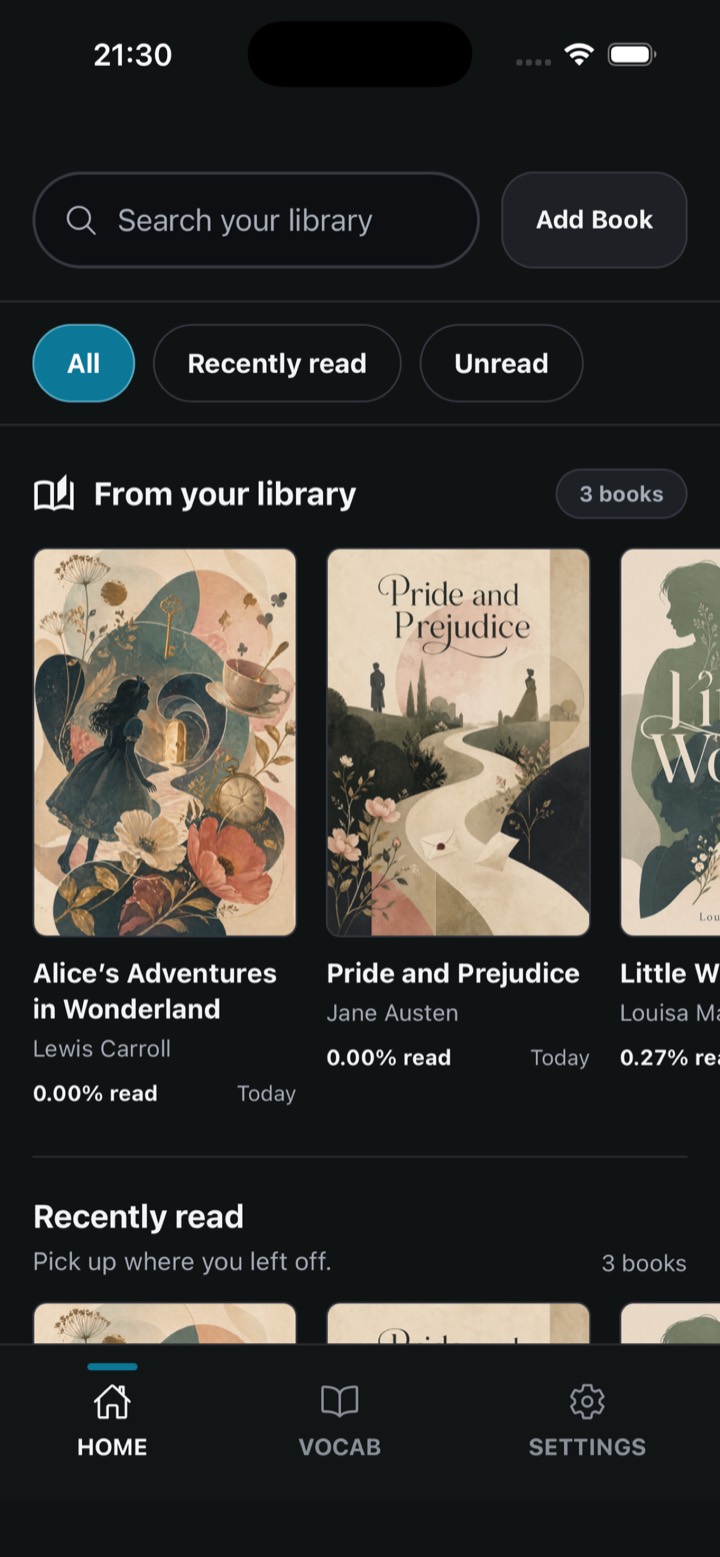
Your own EPUB files, with three classics already on the shelf.
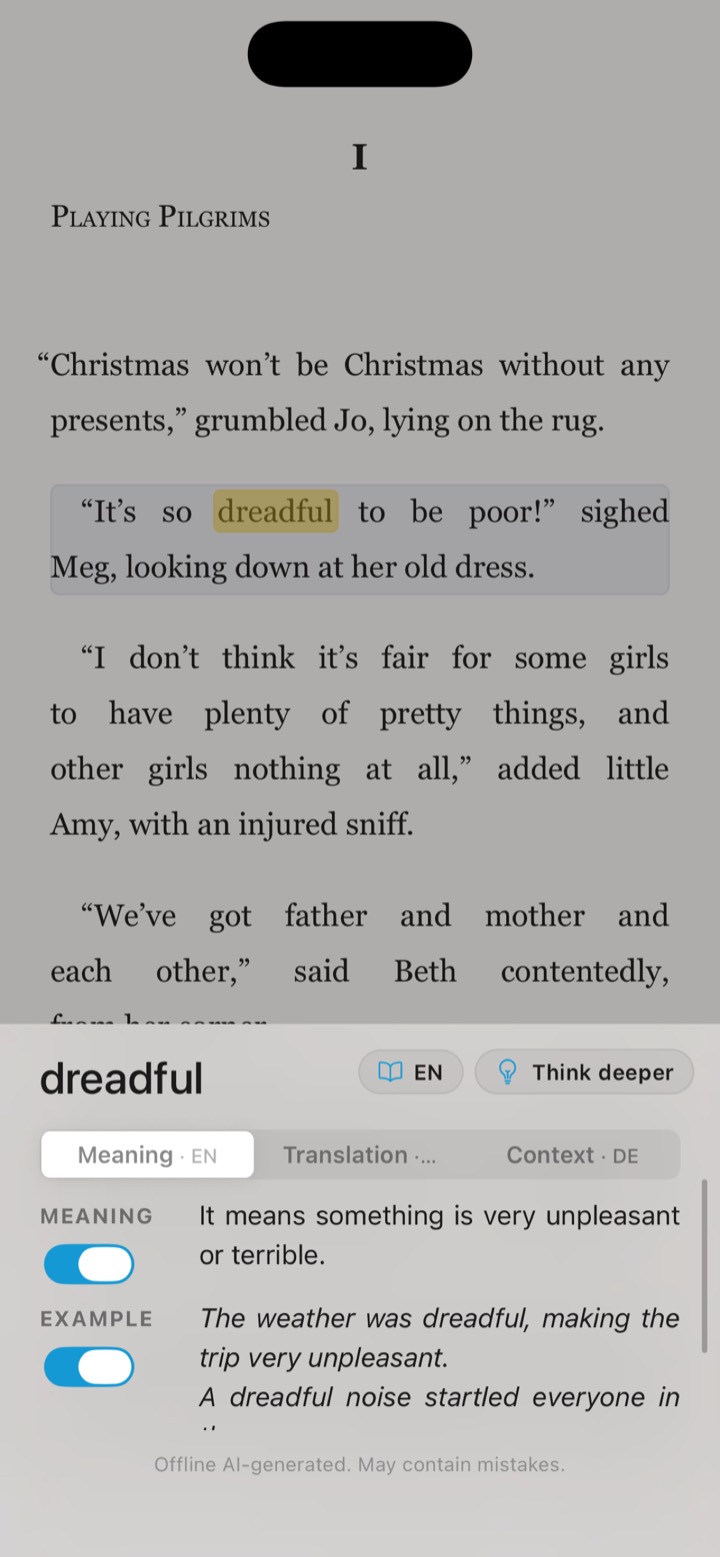
Tap a word and it is explained where you are reading, without leaving the page.
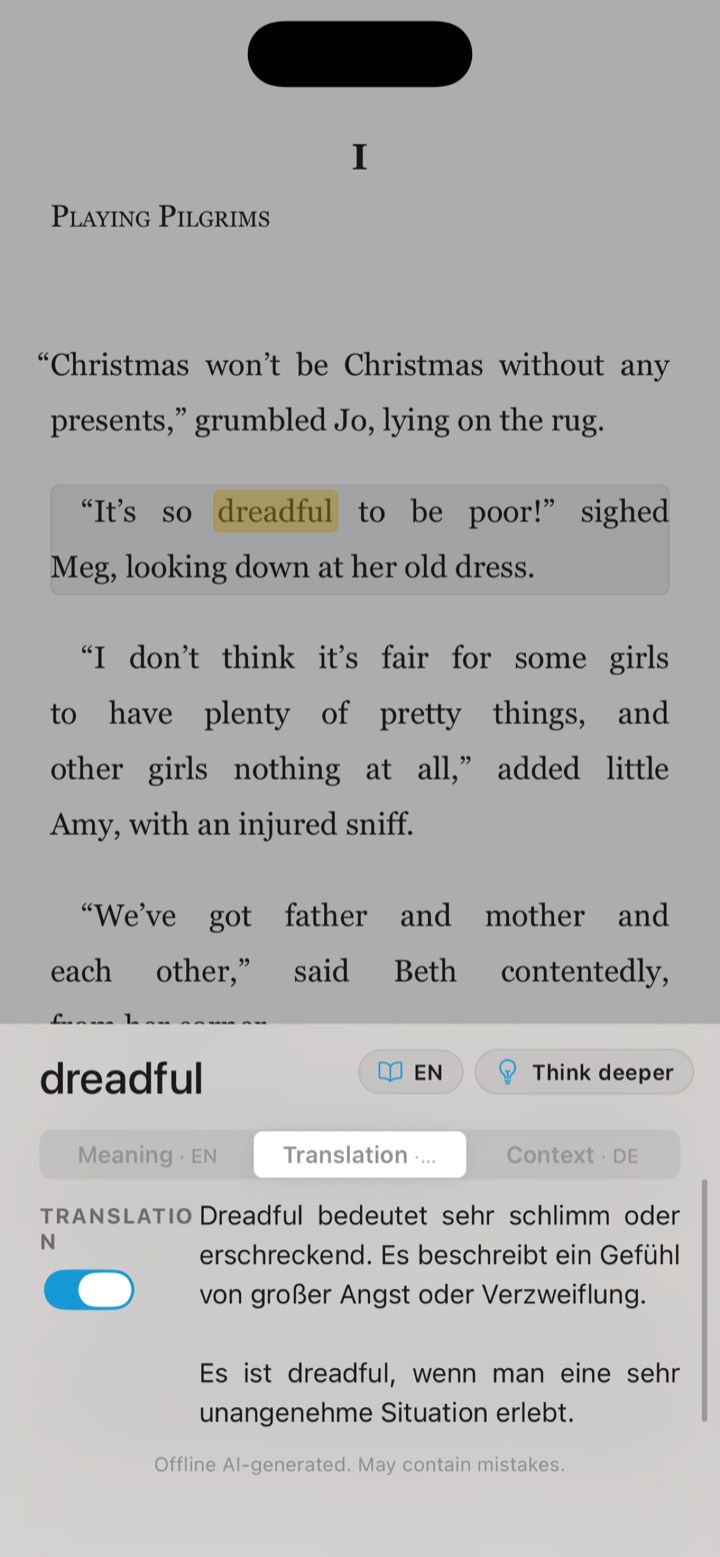
Answers come back in your mother tongue, whatever the book is written in.
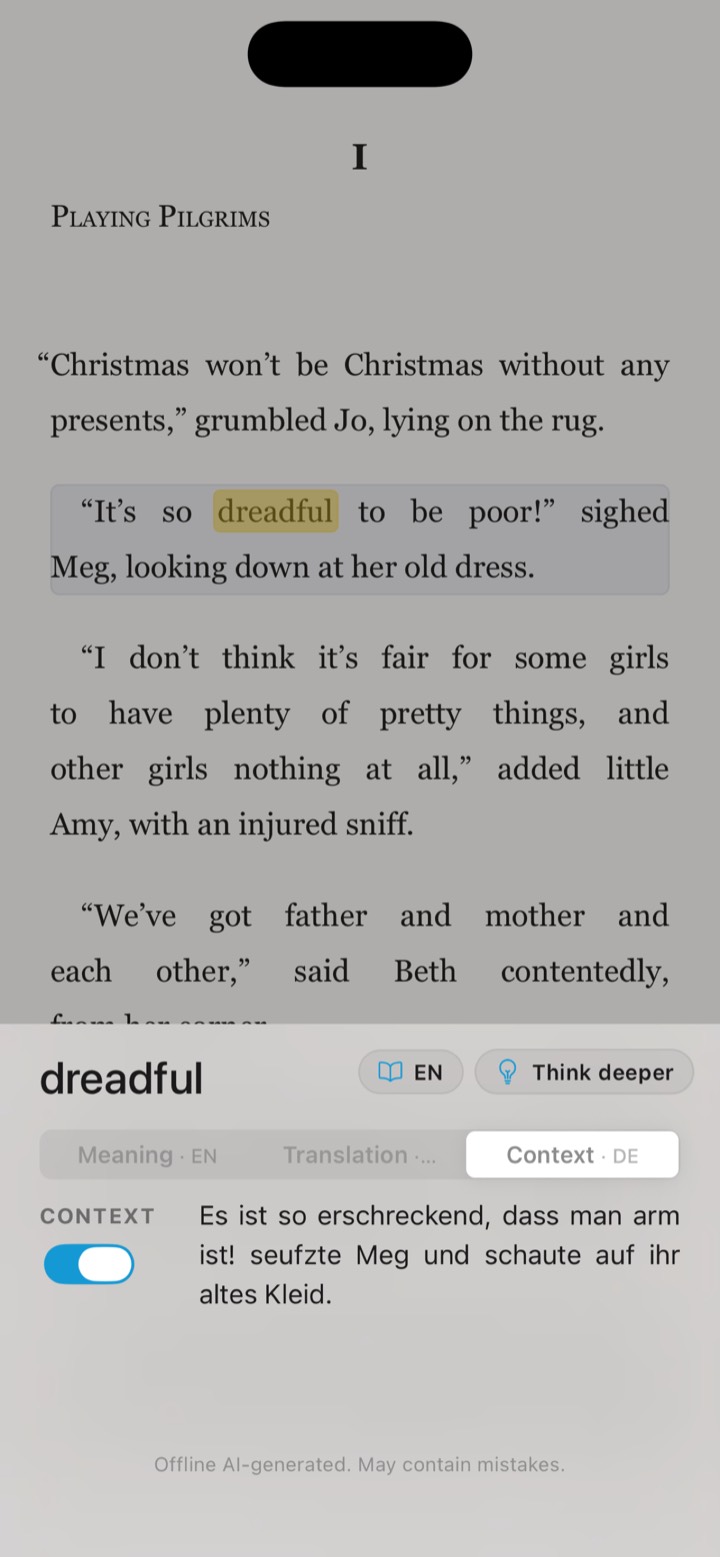
Context takes the sentence you are stuck on, not just the word.
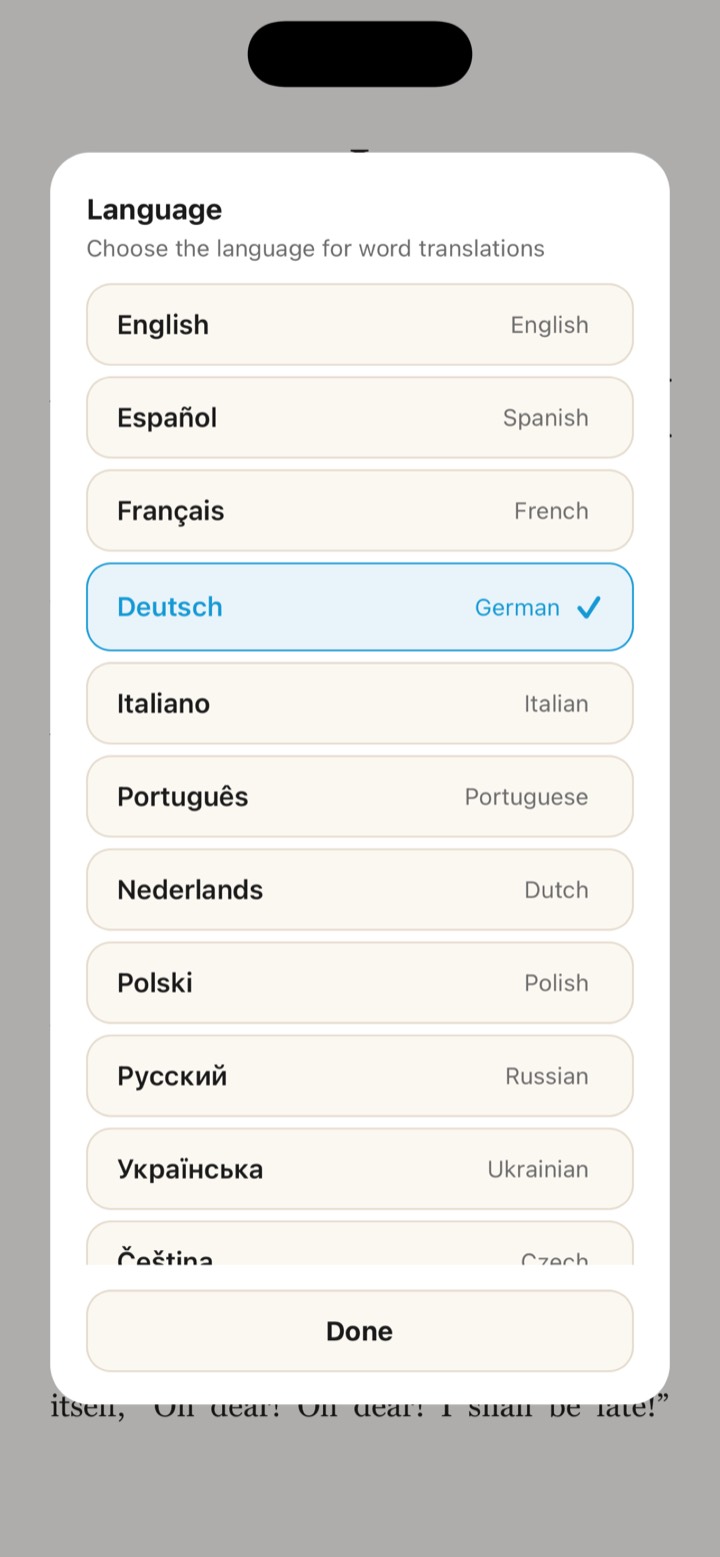
Choose your mother tongue once during setup, from more than forty.
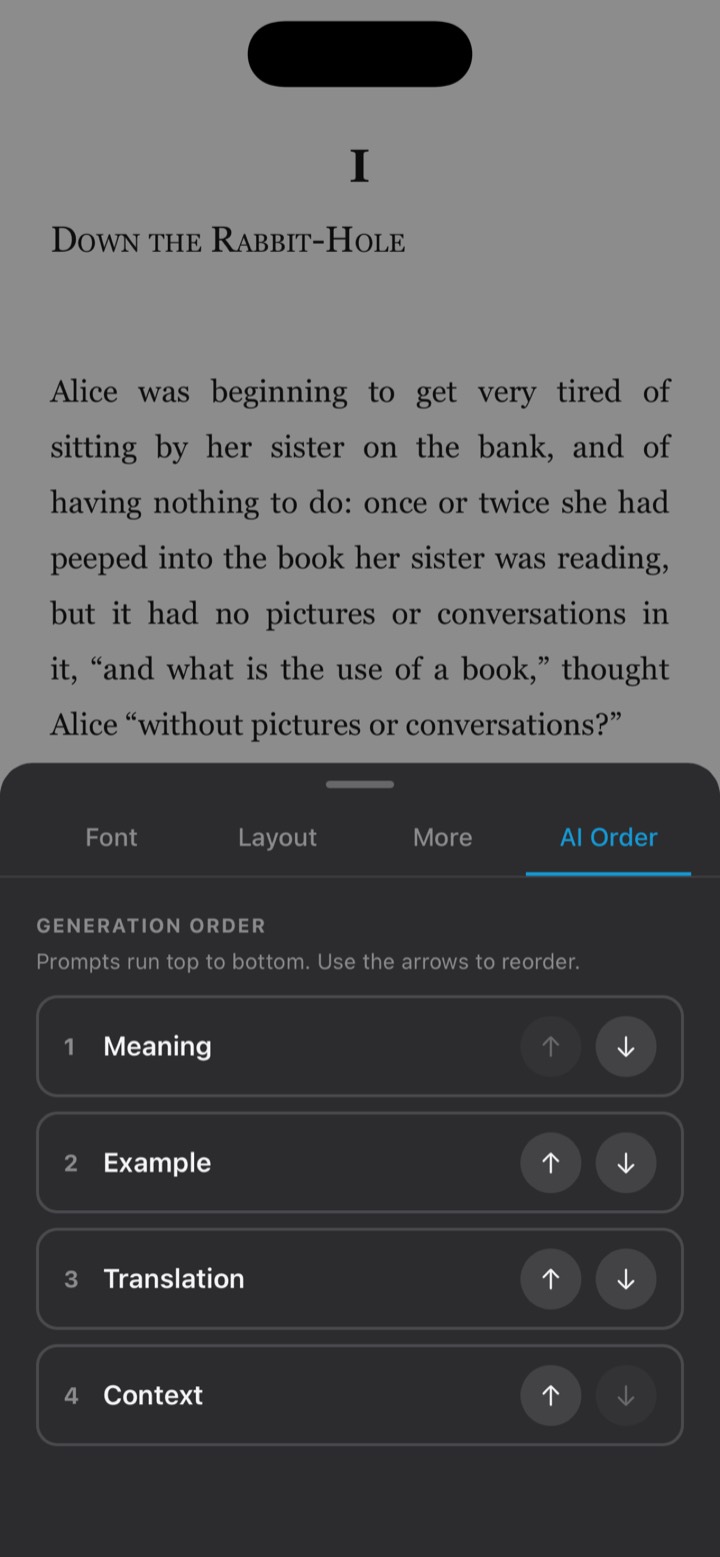
Decide which answer the AI writes first, and which it skips.
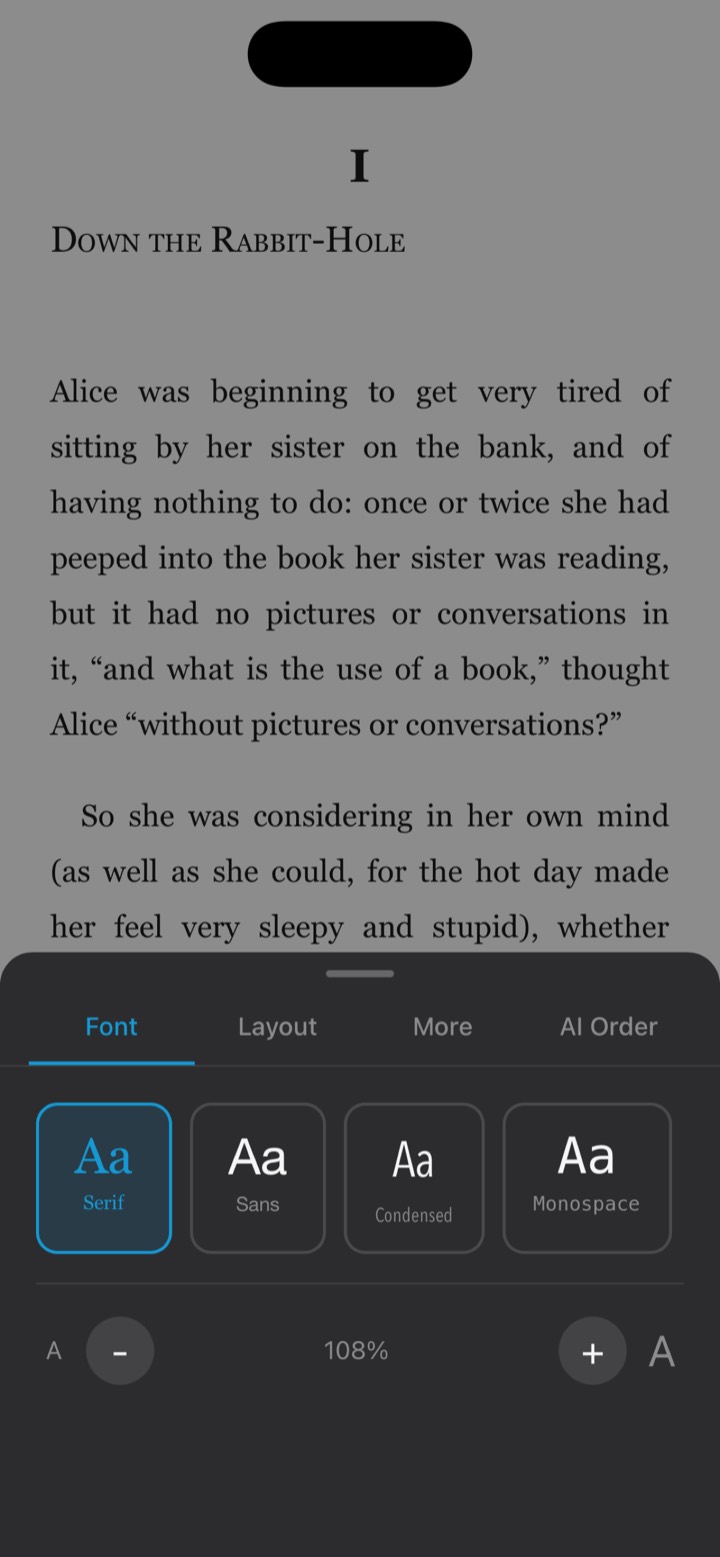
Four typefaces and a size that goes as large as you need.
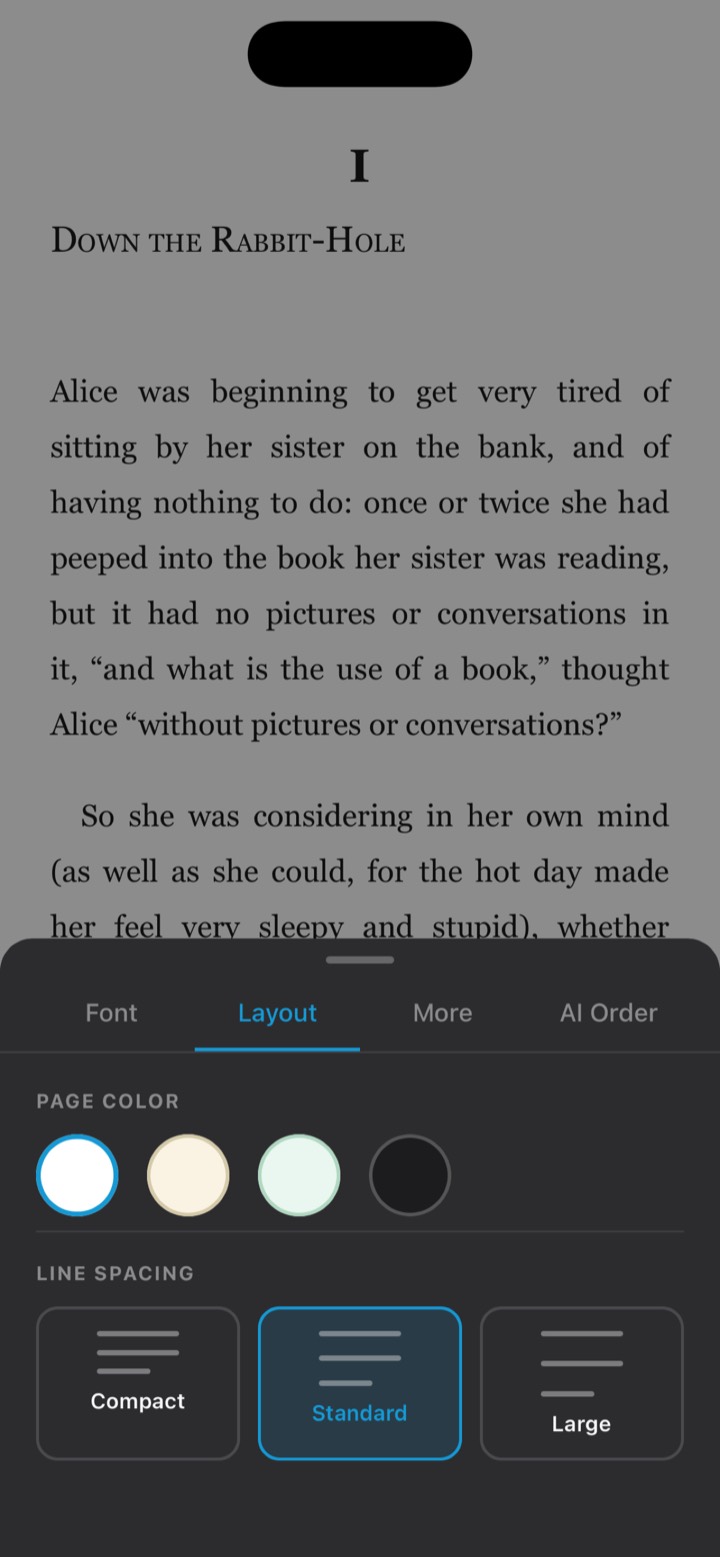
Paper, sepia, mint or dark, with line spacing to match your eyes.
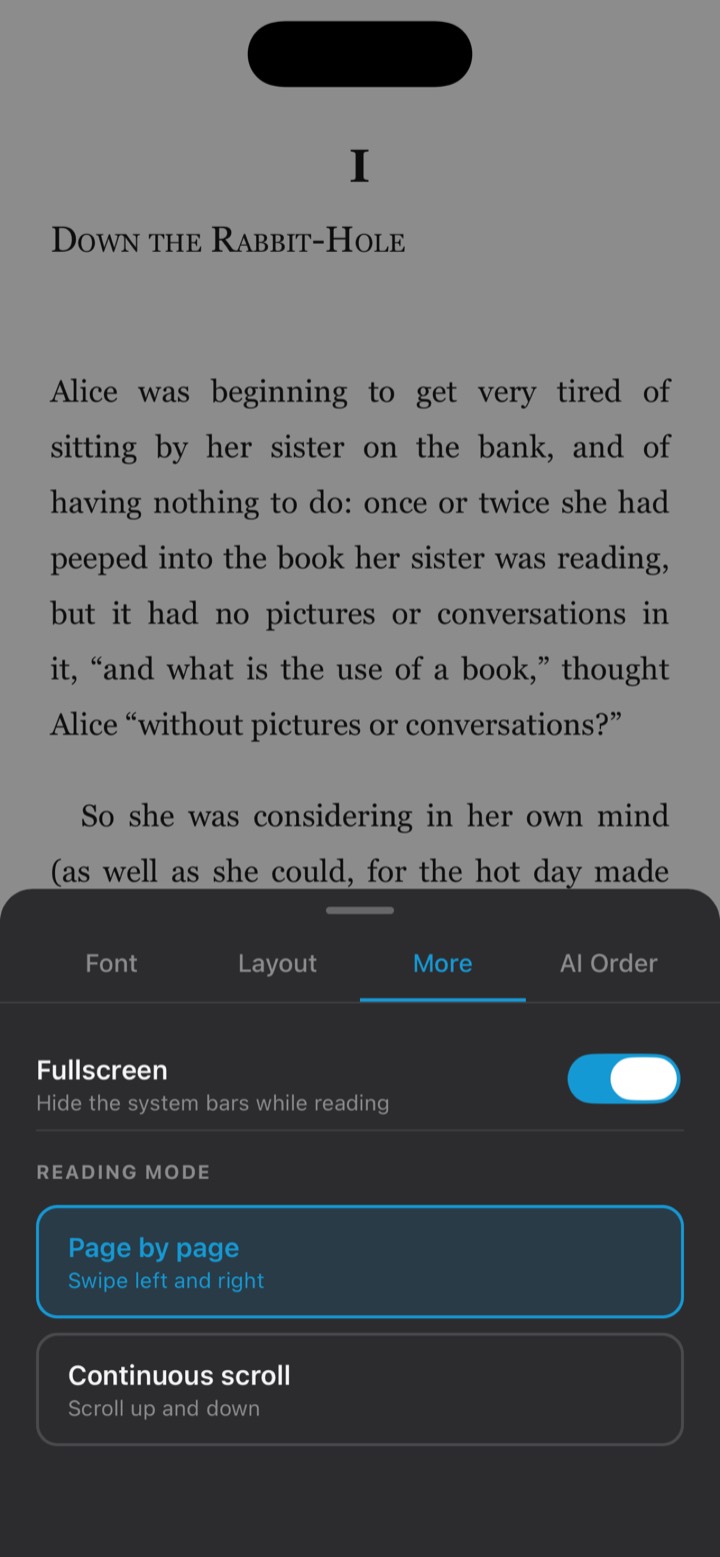
Turn pages or scroll, and hide everything but the book.
How it works
On first launch ClickBook prepares its on-device AI model and asks for your mother tongue. On iOS the model already ships with the app; on Android it downloads once.
Pick an EPUB or readable PDF from your phone. ClickBook copies it into its local library, prepares the reader files it needs, and remembers where you stopped.
Hit a word you don't know. ClickBook reads the surrounding sentence and writes an explanation, a translation and an example — locally, in your language.
ClickBook has no user accounts, no advertising SDKs and no third-party analytics. The text you read, the words you tap and the explanations generated for them are processed on your device — they are not sent to our servers for cloud AI processing. The one exception is the optional ChatGPT button (Pro): if you tap it, the word and the passage around it go to OpenAI, which runs ChatGPT.
Network access is limited to operational things: app-store purchase and restore flows, purchase entitlement checks, platform services, optional backups, and — on Android — the one-time AI model download. Read the full Privacy Policy.
Languages
Choose your mother tongue once and every explanation arrives in it. More than 40 languages are available, including:
FAQ
Yes. Once the on-device AI model is in place, reading and word lookups run entirely on your phone with no internet connection. Network access is only used for things like app-store purchases and restores, entitlement checks, platform services and optional backups. The optional ChatGPT button (Pro) needs a connection too, because it opens ChatGPT.
No. The book text you read, the words you tap and the explanations generated for them are processed on your device. ClickBook does not send them to our servers for cloud AI processing. The one exception is the optional ChatGPT button (Pro): if you tap it, the word and the passage around it go to OpenAI, which runs ChatGPT.
EPUB files and readable PDFs. A readable PDF is one that contains real text — scanned, image-only PDFs cannot be read, because there is no text layer to extract.
No. ClickBook has no user accounts and no sign-up. Your library, reading positions and settings live on your device.
The model is ClickBook Gemma 4 E2B multi (IQ4_XS) in GGUF format, roughly 1.84 GB. On iOS it ships inside the app, so there is nothing to download. On Android it is delivered by Google Play during first-run setup — best done on Wi-Fi.
An optional one-time purchase that unlocks the Translation and Context tabs, the ChatGPT button, changing your mother tongue and the order of the AI answers. The reader itself works without it. Purchases are handled by the App Store or Google Play, and a purchase on one platform does not carry over to the other.
More than 40 mother-tongue languages, including English, Spanish, French, German, Italian, Portuguese, Dutch, Polish, Russian, Ukrainian, Turkish, Arabic, Hebrew, Persian, Hindi, Bengali, Thai, Vietnamese, Indonesian, Chinese, Japanese and Korean.
The AI runs locally, so a recent device gives noticeably quicker explanations. ClickBook is built for phones from roughly 2021 onwards; older or lower-memory devices may respond more slowly.
ClickBook is available now on Google Play for Android and on the App Store for iPhone and iPad.
Articles
Practical writing on the things this app exists to solve.
Help & Legal
Setup, the model, purchases, imports, and how to reach a human.
What stays on your device, the limited network use, purchases, and your rights.
Your licence, responsibilities for imported files, Pro purchases and consumer information.
Provider identity and contact details, as required under German law.